Identifying Jupiter's Galilean Moons with a Smartphone Astronomy App
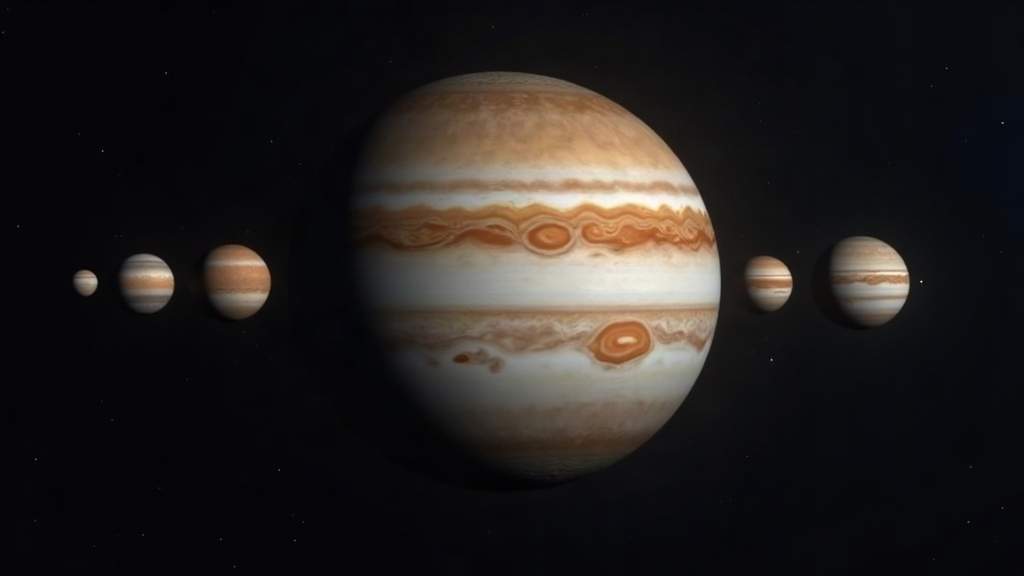
Identifying Jupiter’s four Galilean moons, Io, Europa, Ganymede, and Callisto, is one of the most rewarding first steps you can take in amateur astronomy. And these days, a smartphone astronomy app makes the whole thing almost too easy. Point your phone at Jupiter and apps like SkySafari, Stellarium, Night Sky, or Sky Guide will overlay real-time labels telling you exactly which moon is which, down to the minute. Here’s how the process actually works, what gear you need, and how to confirm with your own eyes what the app is telling you.
Why the Galilean Moons Are Special
Galileo Galilei spotted these four moons in 1610, and they were the first celestial bodies anyone had ever seen orbiting something other than Earth. That single observation helped knock down the old geocentric model of the universe. Each moon has its own personality, really:
- Io - the innermost, violently volcanic, zips around Jupiter in just 1.8 days
- Europa - icy, smooth, and probably hiding an ocean under that frozen shell
- Ganymede - the biggest moon in the entire solar system, bigger than Mercury even
- Callisto - the outermost of the four, scarred with craters and looking ancient
Through binoculars or a small telescope they show up as tiny pinpricks of light strung out on either side of Jupiter. Without help, though, good luck telling them apart. They all just look like faint dots.
What You Need to Observe Them
- Binoculars (7x50 or larger) or any small telescope, even a cheap 60mm refractor will do the job
- A steady mount or tripod - handheld binoculars jitter too much to get a clean view
- A smartphone astronomy app with Jupiter moon tracking built in
- A clear night with Jupiter well above the horizon - check your app for the current visibility window
Jupiter itself is bright enough to pick out with the naked eye, but its moons sit around magnitude 5-6, which means you’ll need optical help to actually resolve them.
How Smartphone Apps Identify the Moons
These apps crunch orbital ephemeris data together with your phone’s GPS and the current date and time to figure out exactly where each moon sits at any given moment. A few stand out for this specific task:
- SkySafari (Plus/Pro) - has a dedicated Jupiter moons simulator that draws a to-scale diagram matching whatever you’re seeing live
- Stellarium Mobile - free, and its real-time moon configuration overlay is surprisingly accurate
- Sky Tonight - keeps things simple for beginners, labels the moons right on screen
- Night Sky - has an AR mode that tags each moon visually when you point your camera at Jupiter
Using one is straightforward: open the app, search “Jupiter,” then find the “moons” or “satellites” panel. It’ll show a horizontal line-up of Io, Europa, Ganymede, and Callisto plotted by their distance from Jupiter right at that moment, which should line up with whatever you’re seeing through your eyepiece.
Step-by-Step: Matching the App to Your View
- Center Jupiter in your binoculars or telescope eyepiece.
- Count how many “stars” you can see near Jupiter. Usually it’s 2 to 4; sometimes one is tucked behind the planet or sitting too close to resolve.
- Pull up your app’s moon diagram and match the pattern you see, left to right, paying attention to spacing too.
- Note which moon sits closest and which is farthest out. Io and Europa shift position noticeably in just a few hours, so checking again later that same night is a good way to confirm you’ve got the right ID.
Common Mistakes to Avoid
- Mistaking a background star for a moon. Apps generally account for this, but if a “moon” doesn’t line up with any listed position, double-check before you trust it.
- Observing too early or too late in the night. Atmospheric turbulence near the horizon smears faint moons into mush. Wait until Jupiter climbs at least 30° above the horizon.
- Using weak binoculars. Anything below 7x magnification usually can’t pull apart all four moons cleanly, you’ll just see a blur or miss one entirely.
Tracking Moon Events
Beyond basic identification, these apps will also flag transits, shadow transits, occultations, and eclipses, those moments when a moon slips in front of or behind Jupiter, or throws its shadow across the planet’s cloud tops. You can catch these with nothing more than a modest telescope, and honestly they add a kind of live planetary-science thrill to what might otherwise be casual stargazing.
Conclusion
You don’t need to memorize orbital charts or take wild guesses anymore. A decent smartphone astronomy app turns your phone into a live star chart that matches exactly what you’re seeing through your optics. Grab a pair of binoculars, wait for a clear night, fire up Stellarium or SkySafari, and you can confidently name Io, Europa, Ganymede, and Callisto on your very first night out, picking up a tradition of observation that’s now over 400 years old.